Free Word add-in for Windows
Type the client's name once, not five times.
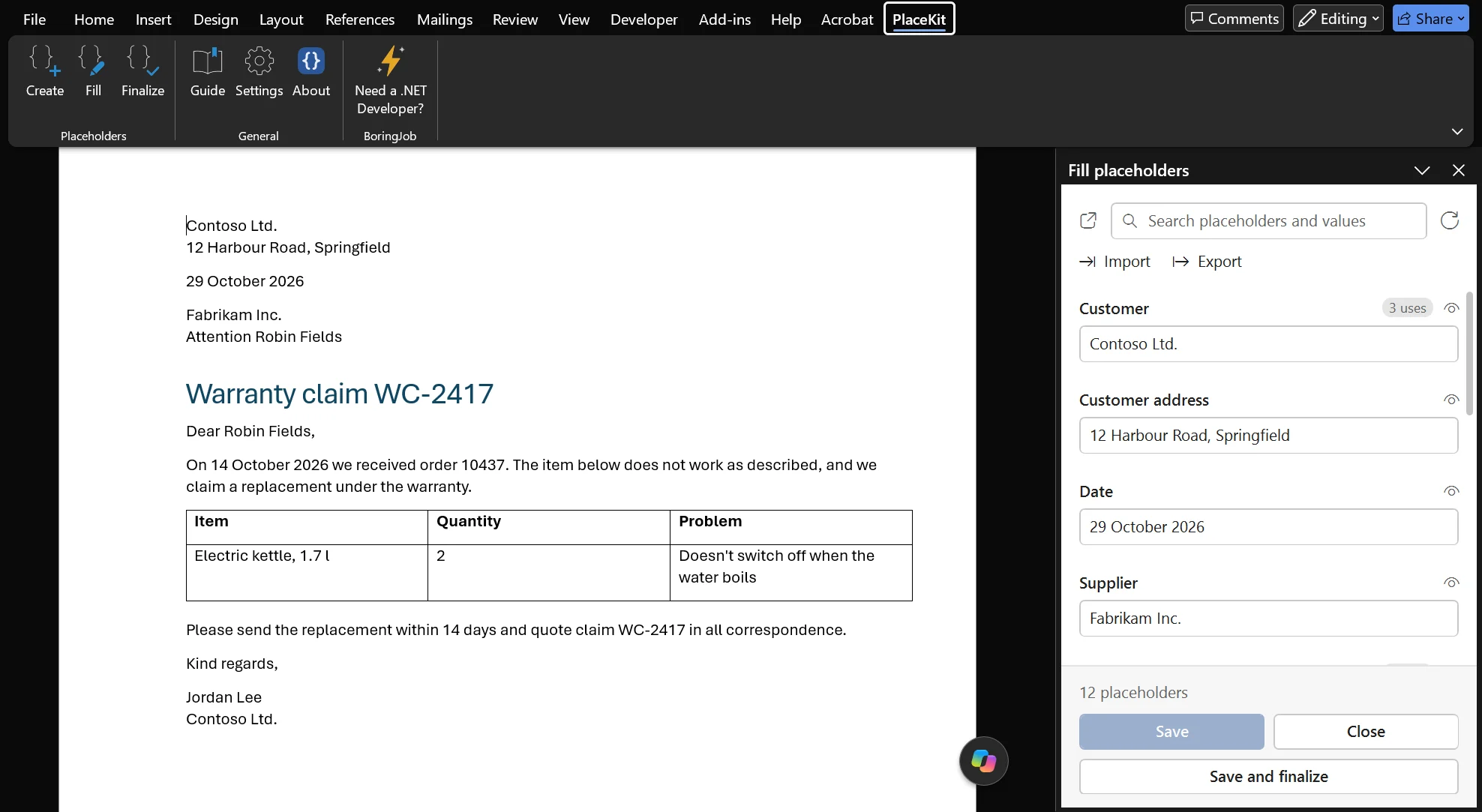
PlaceKit is a free add-in for the Word documents you write again and again: claims, offers, contracts, letters. Mark the parts that change, like {{Customer}}, and fill them all in from one list.
 Open the full-size screenshot
How it works
Prepare a template once, then reuse it for every new case. These are real screenshots of each step.
Your template
Mark the parts that change
Write the document as you always do, and put each detail that changes in double braces:
{{Customer}},{{Claim number}},{{Delivery date}}. Save it as your template.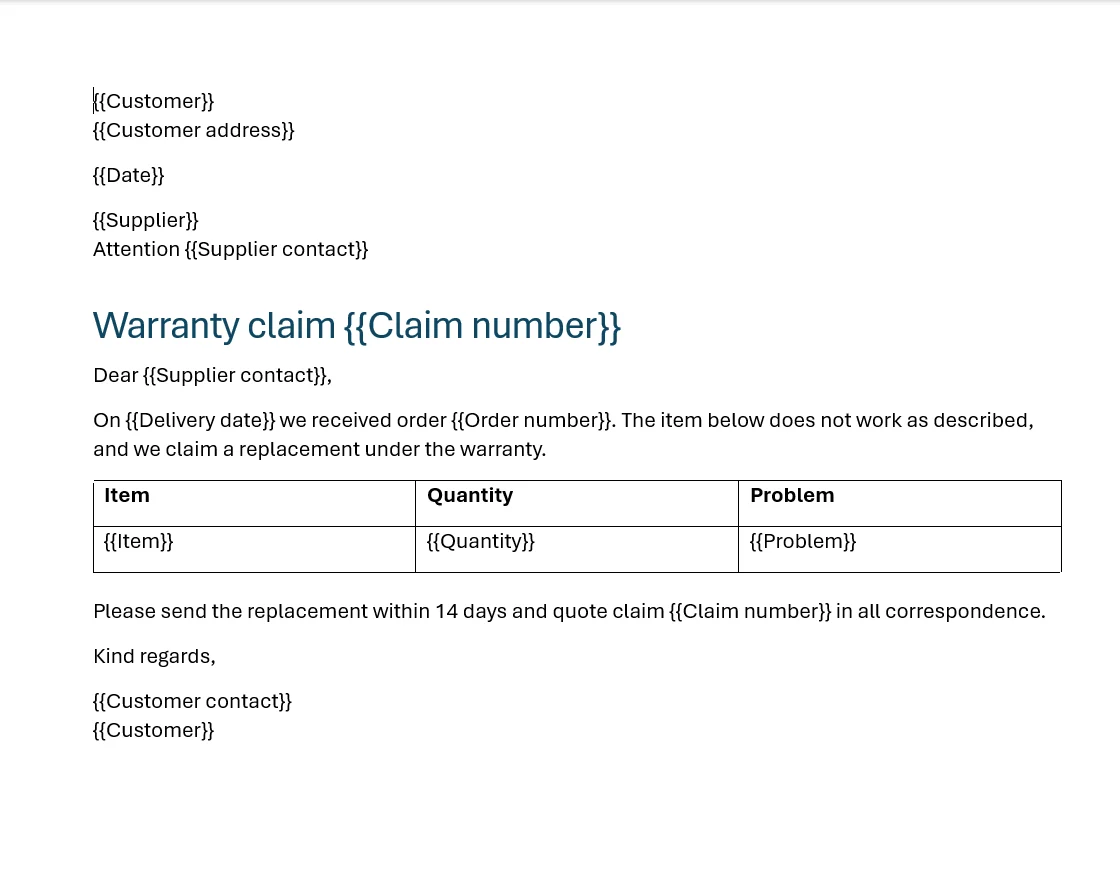 Open the full-size screenshot
Create
Turn the markers into fields
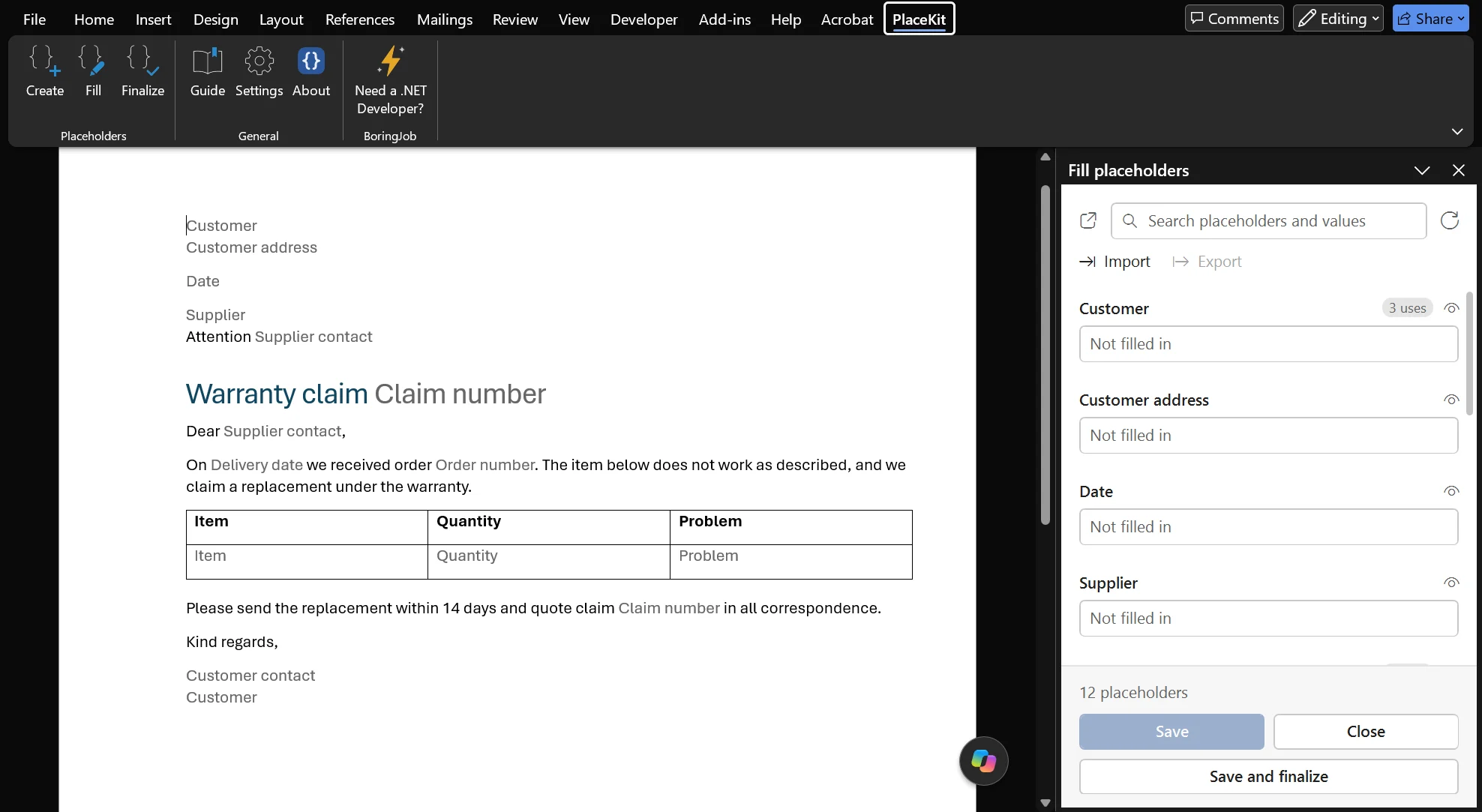
Click Create on the PlaceKit tab. Every marker becomes a Word field that keeps its name, and the editor opens next to the document with each placeholder listed once. Customer appears three times in this claim, so the list says "3 uses".
 Open the full-size screenshot
Fill
Type each value once
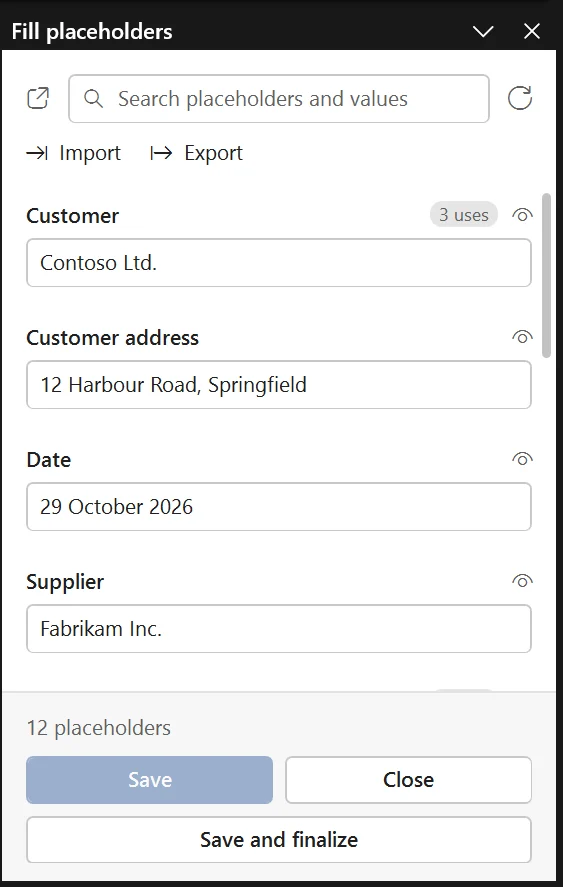
Fill in the list and click Save. PlaceKit writes every value into every place it is used: the heading, the text, the table and the footer. Search finds a placeholder in a long list, and Export saves the values for the next document.
 Open the full-size screenshot
Finalize
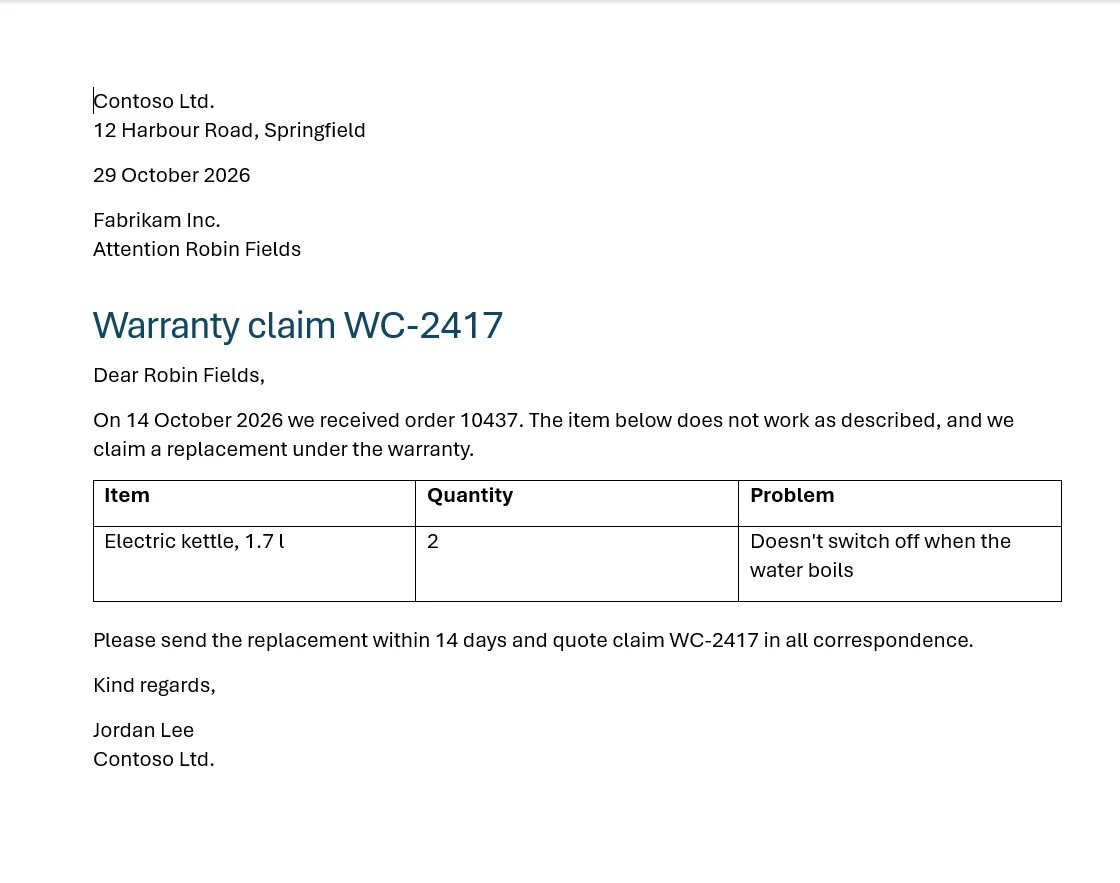
Finish with plain text
When the document is ready, click Finalize. The fields turn into ordinary text, so the file you send is a normal Word document with nothing of PlaceKit left in it.
 Open the full-size screenshot
Not ready to use your own documents yet? Click Guide on the PlaceKit tab. It opens the sample claim from these screenshots, with the steps written above it.
How it helps
The same claim, offer or letter, prepared the usual way and with PlaceKit.
| The usual way | With PlaceKit |
|---|---|
| Open last month's document, Save As, and hope you didn't overwrite the original. | Start from the template every time. It never changes. |
| Search for the old client's name and replace it. Then the order number, the date and the address. | Type each value once in one list. PlaceKit puts it everywhere it is used. |
| Miss the one in the footer or the table, and send the document with last month's client in it. | Headers, footers, tables and text boxes are filled in too. If a placeholder is still empty, Finalize asks what to do with it. |
| Type the same company details again for the next document. | Export the values to a file once, and Import them into the next document. |
PlaceKit doesn't write your documents. It takes the hunting and the retyping out of them.
Made for real documents
Every part of the document
Body text, tables, headers, footers, text boxes and notes.
One Ctrl+Z per step
Create, Fill and Finalize each undo in one step. Long operations show their progress and can be cancelled.
Works with Track Changes
With Track Changes on, the values Fill writes are tracked, so a reviewer sees what was filled in.
Your markers, your rules
Already using
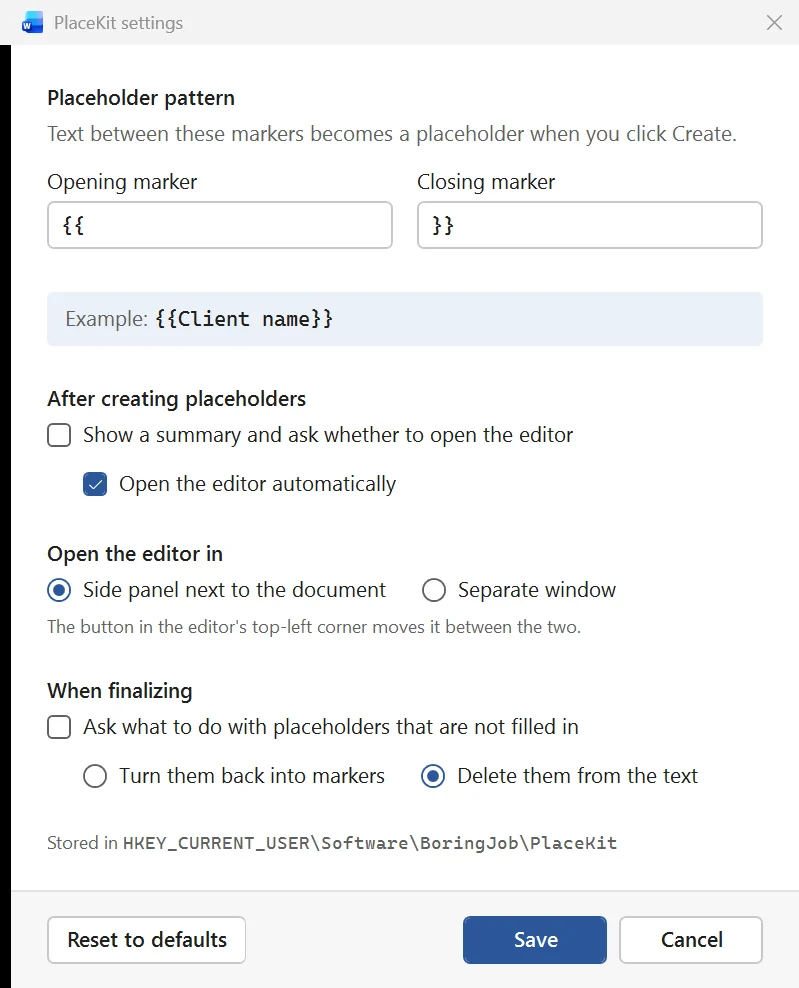
[[name]]or<<name>>? Change the markers in Settings, and choose what Finalize does with placeholders left empty.Side panel or window
The editor sits next to the document or in its own window. One button switches between the two.
Nothing for recipients to install
The finished document is an ordinary Word file. The people you send it to don't need PlaceKit.
 Open the full-size screenshot
What PlaceKit doesn't do
No internet connection
PlaceKit works inside Word on your computer and never connects to the internet. Your documents and values stay where they are.
No account, no tracking
No sign-up, no licence key, no usage statistics. Settings are kept in the Windows registry, under your user account.
One link to me
The About window and one button on the PlaceKit tab open this website in your browser, and only when you click them. That's all the advertising there is.
Install
- Download PlaceKit-1.0.0.msi and run it. It installs for your Windows account only, so it doesn't need administrator rights.
- Windows may warn about an unknown publisher, because the installer isn't code-signed yet. Click More info, then Run anyway.
- Close Word if it is open: Word loads add-ins when it starts. Then start Word, and the PlaceKit tab is on the ribbon.
For IT
Silent install, for example from software deployment:
msiexec /i PlaceKit-1.0.0.msi /qnTo remove PlaceKit, uninstall it in Settings › Apps › Installed apps. Its settings stay in the registry under HKEY_CURRENT_USER\Software\BoringJob\PlaceKit.
Requirements
- Windows
- 10 or 11
- Word
- Word 2013 or later for Windows, Microsoft 365 included. Not Word for Mac or Word on the web.
- Also needed
- .NET Framework 4.8 and the Visual Studio Tools for Office runtime. Current Windows and Office include both, and the installer tells you if one is missing.
- Interface
- English
- Price
- Free
- Publisher
- BoringJob (Dzmitry Kazhamiakin)
- Version
- 1.0.0, published October 29, 2026
Check the file
To make sure your download is the file published here, run this in PowerShell in the folder you saved it to, and compare the result with the checksum below.
Get-FileHash .\PlaceKit-1.0.0.msiSHA-256
92E1E29FEA7F7E8435A8D4F0EAF195CEF8FB7493BB282BD37D20CD2AB5D5A79D
Why it's free
PlaceKit is a small sample of what I build.
I'm Dzmitry, the engineer behind BoringJob. I build .NET applications, AI integrations and Office add-ins for small and mid-sized businesses. PlaceKit is free because it shows how I work better than a description could.
When your documents need more than placeholders, that's usually a job for something built to order.
For example
- Fill the template straight from your CRM, your database or a row in Excel, with nothing typed by hand.
- Read the details from incoming PDFs and emails with AI, checked before they reach the document.
- Produce the whole set for a case at once: contract, annexes and cover letter.
- Check the values before anything goes out: a missing tax ID, a date in the past, an amount that doesn't match the order.
These are examples of custom work, not PlaceKit features.
Questions about PlaceKit
Is it really free?
Yes. There's no trial, no paid version and no account. Use it at work, that's what it's for. It shows the kind of software I build, and if it saves you time, it's doing its job.
Does it work on a Mac or in Word on the web?
No. PlaceKit is an add-in for Word on Windows: Word 2013 or later, Microsoft 365 included.
Windows warned me about the installer. Is it safe?
The warning appears because the installer isn't code-signed yet, so Windows doesn't know the publisher. Click More info, then Run anyway.
To make sure the file is the one published here, compare its SHA-256 checksum with the one in the Install section.
Will it change my existing documents?
Only when you click Create, and then only the marked parts. Every step can be undone with one Ctrl+Z, and documents without markers stay exactly as they are.
Can our IT install it for everyone?
Yes. The installer doesn't need administrator rights and supports a silent install from software deployment; the command is in the Install section. Each user gets their own copy and settings.
Can you change PlaceKit for us, or build something similar?
Yes. Typical requests are filling documents from a database or CRM, producing a set of documents per case, or checks that follow your company's rules. Describe what you need, and I'll tell you honestly whether it's worth building.
How do I remove it?
Uninstall it in Settings › Apps › Installed apps. Your PlaceKit settings stay in the registry, in case you install it again.